How AI Design Workflows Actually Fit Together
AI speeds up initial creation, but the workflow that matters is the sequence that ships it.
What "workflow" means when AI is involved, and why it's different from a tool stack
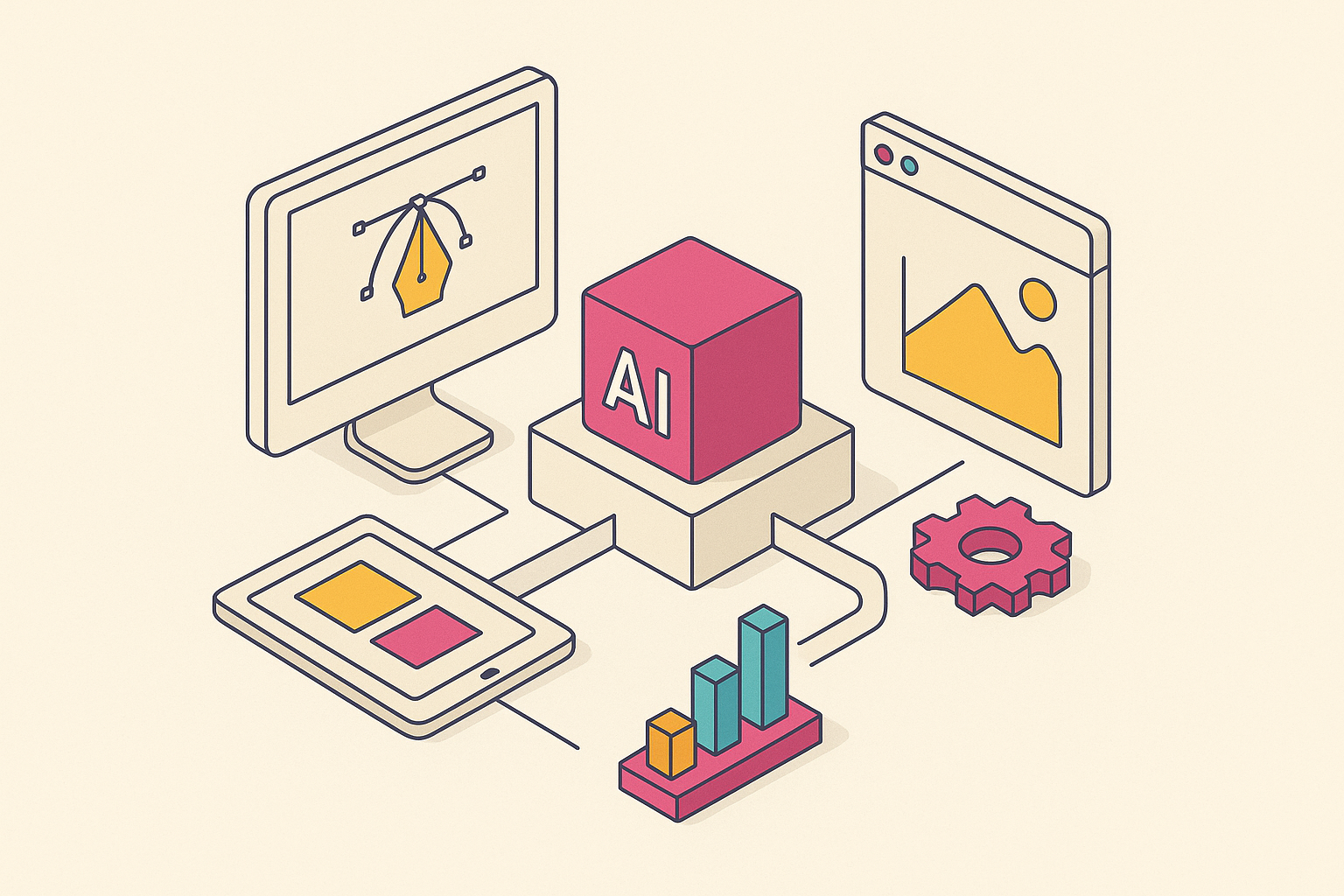
An AI design workflow is five connected stages: briefing, generation, editing, brand-checking, and publishing. The whole thing only works if each stage hands the next one something usable. Most teams get this wrong. They bolt AI onto whatever process already existed, usually at the generation step, and end up faster at exactly one thing while everything downstream slows down to compensate.
That's motion, not progress. Not progress, just motion.
A tool stack is a list: Figma for design, an AI assistant for copy, a scheduler for social, done. A workflow is a sequence, where the output of one stage becomes the input of the next, and the chain either holds together or it doesn't. Per Flatline Agency's research, the leading teams stopped asking "which tool should we use" and started asking "which tool handles which stage." The tool isn't the strategy. The sequence is the strategy, and the tool just executes one link in it.
The wrinkle specific to AI is that outputs have to stay editable the whole way through. A gorgeous AI-generated image that can't be adjusted, relayered, or resized is a dead end with good lighting. Someone has to redo it from scratch, and the speed gained at generation gets eaten whole by the rework two steps later.
Five stages define the shape of this:
- Briefing: structured input that shapes everything after it
- Generation: first-draft visual directions
- Editing: human judgment applied to raw output
- Brand-checking: consistency enforced before anything ships
- Publishing: getting the right format to the right place
Early AI adoption cared about one question: how fast can this generate something. That question is answered now, and the answer stopped mattering as much as people expected. The question that matters in 2026 is whether the output is commercially safe, on-brand, and reproducible at scale without drifting off in fifty small ways. That's a five-stage question, not a one-stage one, and teams that keep answering it as if it were still an earlier stage of the process are the ones stuck redoing work.
Stage one: the brief as a design input, not a pre-meeting formality
Most brief failures start with vagueness, and AI doesn't fix vague. It multiplies it. Feed a fuzzy brief into a generation tool and you don't get one fuzzy result back. You get twenty, fast, which just means more time spent sorting through noise later instead of less.
Agency leadership guidance from Belmont University frames this well: treat AI as a research assistant before generation starts. Feed it a structured prompt, role, goal, audience, constraints, and let it sharpen the brief before a single image gets made.
A usable brief needs three things spelled out clearly:
- Goal: what the asset needs to accomplish, not just what it should look like
- Audience: who sees it, and in what context they'll see it
- Constraints: brand rules, format, channel, who has to sign off
One trick from the Belmont research: ask the AI to generate three to five different problem statements from the same rough idea, then pick the framing that actually sets up the creative challenge correctly. Research and brief-writing that used to eat hours can shrink to minutes, and that freed-up time should go straight into concept and craft.
None of this matters if it doesn't carry forward. A brief with real constraints baked in from the start, brand voice, accessibility needs, production limits, keeps the next stage from generating fifty options in a style nobody can actually use. Generation should start with the guardrails already up, not bolted on after the fact.
Stage two: generation that produces something editable, not just something impressive
Generation is where most teams start, and where most teams also stop. That's the actual problem. It caps how far the work can go. An image that looks stunning in a chat thread and can't be touched afterward has zero value once real production work begins.
Concept-stage generation and production-stage generation are different jobs. Treating them as the same job is where a lot of workflows quietly break.
For concept work, moodboarding, early creative direction, Midjourney is hard to beat on pure artistic quality. Its –sref parameter locks a visual style across multiple generations, genuinely useful for keeping a mood consistent while ideas get tested. But Midjourney output alone isn't production-safe for brand work, and pretending otherwise is where teams get burned. It wasn't built to guarantee commercial safety, brand consistency, or editability, three things that matter enormously once an asset needs to ship.
Per best-practice guidance for AI workflow development, generation works better broken into discrete steps rather than one giant prompt asking AI to do everything at once: upload, extraction, validation, conditional branching, each checked as its own component. Test each piece before stitching it into the bigger flow. It sounds slower. It prevents the kind of silent error that appears only three stages later, when it is expensive to fix.
A peer-reviewed study cited by Parallel HQ found organizations that built AI into their design systems saw a 78% jump in workflow efficiency and a 62% drop in design inconsistencies. Those numbers came from systematic use across a whole workflow, not from picking up a tool and hoping. Same tool, wildly different results, depending on whether it's plugged into a system or used in isolation.
What the next stage actually needs from generation is simple to state and easy to skip: layered, labeled, structured output a human can actually get into. A flattened single-layer image handed to an editor is a dead end dressed as a favor. It's a courtesy at best.
Stage three: where human judgment enters the loop and the asset becomes real
AI is good at first passes. People are good at knowing which first pass is right, and when "right" even means something, according to agency leadership guidance from Belmont University. That distinction is the whole stage, and skipping it is how a technically-fine asset ships with the wrong message.
Editing in an AI workflow covers a few specific jobs. Someone has to choose among the generated directions, since AI widens the option space but can't tell you which option fits the moment. Someone has to apply the brand voice and constraints the brief already specified. Layout, hierarchy, copy, and spacing need full element-level control. And someone has to catch the structural problems, misaligned messaging, wrong tone for the audience, that generation tools never notice because they were never asked to look.
Belmont's ethical guidance names a real trap here directly: the "good enough" problem, where automated speed quietly lowers the bar for what counts as acceptable. Fine for a throwaway social post nobody remembers in a week. Not fine for anything brand-defining, and the two get confused more often than they should.
Non-designers doing their own editing is genuinely a feature of this stage. But it only works if the tool gives them a real canvas, full control over every element, not a flattened export they can nudge and nothing more.
AI earns its keep here on the boring mechanical parts: layout variations, background cleanup, small copy tweaks. Per the Belmont workflow guidance, offloading that frees editors to spend attention on story, pacing, and message, the parts that actually need a person's judgment.
An edited asset that hasn't been run against live brand rules can still ship wrong. Editing and brand governance are two separate checks that happen in sequence. Treating them as interchangeable is how off-brand decks end up in a client's inbox.
Stage four: brand-checking as a system property, not a final review
A useful distinction for 2026 is production AI versus protection AI. Production AI generates and edits fast. Protection AI, platforms like Writer.com and Typeface, exists purely to enforce that every generated asset stays on-brand and compliant.
Teams operating at any real scale need both. One creates. The other stops the creating from drifting outside the lines, and skipping the second half because the first half feels productive is a mistake that raises costs later.
Brand-checking, done properly, covers color, type, and spacing against defined brand tokens; logo use and approved or licensed imagery (a real concern with AI-generated images specifically); tone and message consistency across every variant produced; and legal and commercial safety.
Research cited by Parallel HQ found automated brand-consistency systems held a 99.3% consistency rate across platforms and devices. That's the argument, in one number, for building this check into the system rather than leaving it to a person eyeballing a deck before it goes out the door.
Design systems handle a lot of this enforcement automatically. When brand rules live as coded tokens and locked template elements, a non-designer literally can't break the brand by accident, because the structure won't let them. The check stops needing a supervisor standing over someone's shoulder. It's built into the tool itself.
There's a size threshold where this stops being optional. Once an organization reaches a certain scale, or once more than one agency touches the brand, platforms like Frontify or Bynder (both now shipping AI-assisted features) start earning their keep as the single source of truth that generation tools pull from.
Only what clears this stage should move into publishing. The brand check is the gate, not a suggestion someone skips when the deadline's tight.
Stage five: publishing and distribution as part of the design workflow, not after it
Per the Belmont agency leader guidance, one solid longform asset can turn into a dozen smaller pieces: shorts, carousels, blog snippets, email copy. That asset might be a talk, a case study, or a video. AI speeds up that slicing considerably, but the underlying idea isn't new. That idea is one source feeding many formats. It just used to take a lot longer to pull off.
A reusable template for this might run: a couple of 10 to 15 second clips, one 60 to 90 second cut, three quote cards, a "four things we learned" carousel, one blog post, one email. Set the template once, then run every major asset through it after that.
Format decisions belong at the brief stage. Channel dictates aspect ratio, file type, and copy length, and those constraints should shape what gets generated in the first place. Resizing and localization, something Adobe Express handles for teams already inside the Adobe ecosystem, is a distribution function. Plan for it early, or pay for it late, and paying late usually means someone reformatting forty assets by hand the night before launch.
AI genuinely helps at this stage with scheduling and subject-line testing. Channel strategy itself, who to reach, when, how often, why, stays a human call, full stop. Alt text and captions can get a first pass from AI with accessibility in mind, then a person reviews for tone and clarity.
Measurement closes the loop. Track efficiency (time saved, fewer revision rounds) and effectiveness (reach, completion, conversion), per best-practice guidance for AI design workflows. What comes back from distribution should shape the next brief. That's the whole point of calling it a loop instead of a line.
How tools map to stages and where teams commonly mismatch them
No single tool covers all five stages well. That's not a knock on any one product; it's just where the category is right now. What matters is whether the tools a team picks hand off cleanly to each other, and most mismatches trace back to a team picking one great tool and expecting it to cover a job it was never built for.
For briefing and research, general AI assistants like ChatGPT or Claude work well as structured brief generators when prompted with role, goal, audience, and constraints. Figma AI has a place here too, for early UX direction before anything's locked down.
For concept generation, Midjourney remains the strongest option for artistic exploration and moodboarding, with –sref for style-locking, though it's not production-safe on its own. Uizard's Autodesigner turns a text prompt into an editable, multi-screen wireframe in seconds (sketch-to-wireframe runs through Uizard's separate Wireframe Scanner), genuinely handy for founders and product teams still in early prototyping.
Production generation and editing is the busiest and most fragmented part of the map. Figma Buzz, launched at Config 2025, was built specifically for marketing teams: designers lock the brand elements, marketers fill in variants, bulk generation runs off spreadsheets, and image editing runs through OpenAI's gpt-image-1 and Gemini models, with approval steps built in. It's still catching up on asset generation and print relative to more established players. Adobe Express and Firefly make the most sense for teams already living inside Adobe, pulling brand assets straight from Creative Cloud libraries, handling bulk resizing and localization, and built on licensed training data for commercial safety (Adobe Firefly Custom Models lets bigger teams train on their own approved visual library). Marq (formerly Lucidpress) takes a different approach entirely: locked-down templates that let non-designers, say, fifty sales reps, build on-brand decks without a designer hovering over every slide. A growing category of platforms also offers a genuinely full editable canvas for GTM and operations teams, where every generated element stays live and adjustable start to finish, cutting out a lot of the tool-switching that causes drift in the first place.
For brand governance, Writer.com and Typeface sit in the protection-AI category, enforcing compliance on whatever's already been generated. Frontify and Bynder serve as the enterprise source of truth that generation tools should pull from, relevant once a team reaches a certain scale or works with multiple outside agencies. Both price by custom quote.
Three mismatches occur constantly, and they're avoidable. Teams use a concept tool like Midjourney for production work with no brand-safe layer sitting between the two. Teams treat a brand management platform as a stand-in for actual editing, when it is really governance sitting downstream of editing. And teams skip briefing altogether, jump straight into a generation tool, and the output shows it within the first five minutes of review.
The presentation and slide deck case: where the five stages are most visible
Slide decks make this whole argument concrete, because every stage appears in one document, in one sitting.
Research from Outright CRM, cited by Beautiful.ai, put the average marketing team's time spent building presentations at around five hours a week, roughly 12% of total working time. A substantial share of leadership teams reported spending five or more hours a week on slides alone, most of a workday, every week, spent formatting boxes instead of sharpening the argument inside them.
AI has actually moved that number. A Decktopus survey found average prep time per deck dropped from the old 2 to 3 hour range down to under two hours, compared with 2024, and over 72% of business professionals said they now use AI somewhere in content generation, layout, or design for decks.
Run it through the five stages and the pattern holds exactly.
Brief: one idea per slide, set as a rule before design starts. Per Presentations.ai's guidance, structure drives the deck. Decoration comes after, never before.
Generation: AI suggests slide structure, rebalances layout automatically, keeps visual rhythm consistent across the deck, so the person building it spends energy on what the deck actually argues, not on nudging text boxes.
Editing: sales decks need fast customization per prospect while staying on-brand. AI-assisted editing lets a rep swap in the relevant case study without rebuilding the deck from zero every single time.
Brand-checking: a master template acts as the enforcement layer, turning what used to be scattered, off-brand decks across sales, marketing, product, and leadership into one consistent system everyone actually pulls from.
Distribution: format isn't a footnote here. A deck that exports cleanly into whatever format the stakeholder needs is a distribution decision made correctly at the start.
Format compatibility deserves its own callout as a real risk. Tools that generate in browser-native or proprietary formats and export imperfectly into PowerPoint create rework right at the finish line, a mismatch between what the generation tool produces and what the room actually needs to open.
Design, in the end, is the first signal of whether the thinking behind it holds up. Per Presentations.ai, a clean slide reads in seconds. A cluttered one forces the audience to decode it themselves, and that's a cost every person in the room pays, not just the presenter standing up front.